 SuperMenuBar
Your Mac Menu Bar,
Supercharged
All-in-one app featuring Pomodoro Timer, Keep Awake Control, Quick Mini Calendar, Camera Preview, Mic Controls, and Mac Settings.

Native Menu Bar Integration
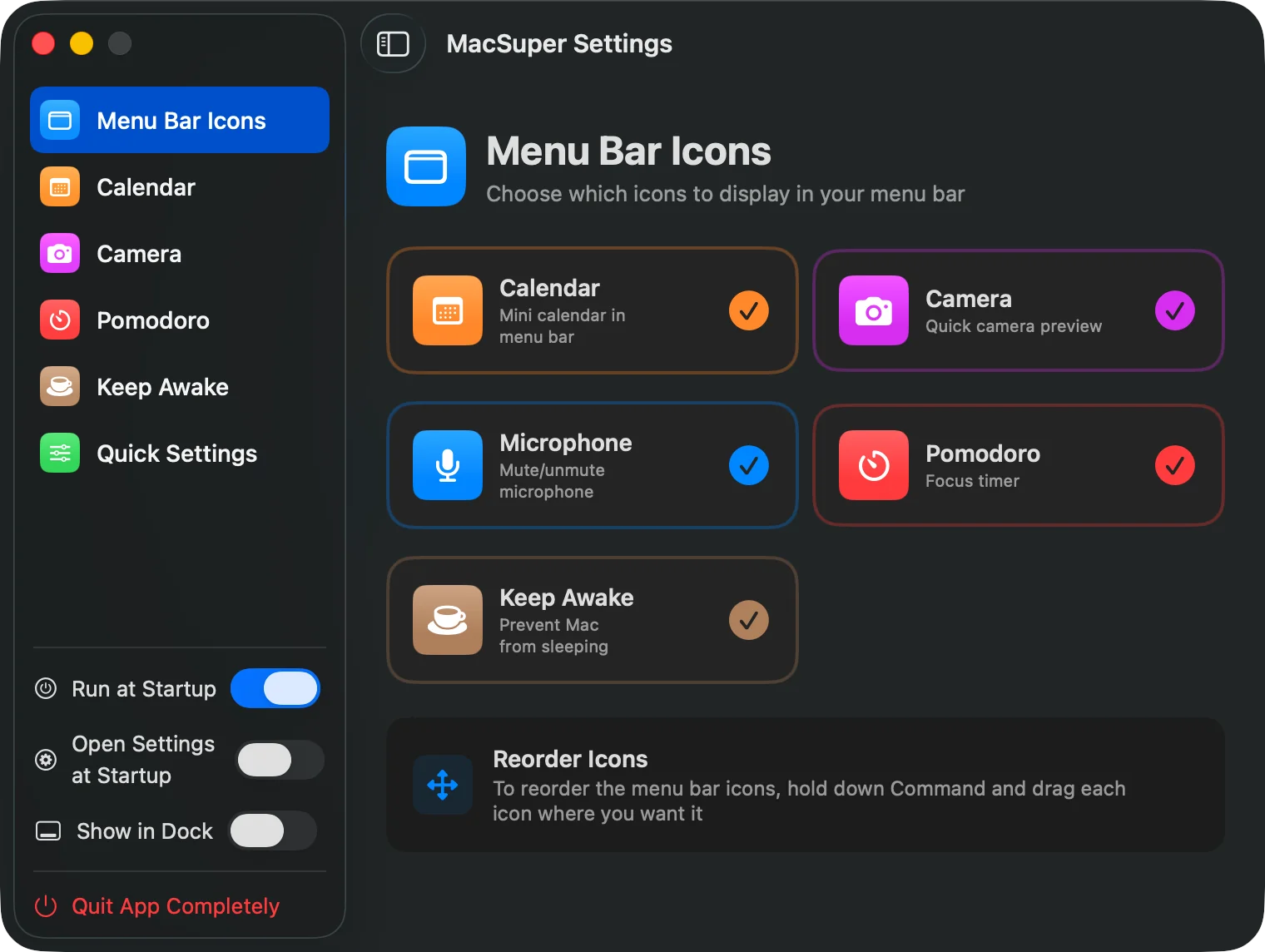
SuperMenuBar seamlessly integrates with your Mac's menu bar. Each tool can be enabled and customized.

Powerful Mac Productivity Tools
Six essential productivity features integrated seamlessly into your Mac's menu bar
Pomodoro Timer
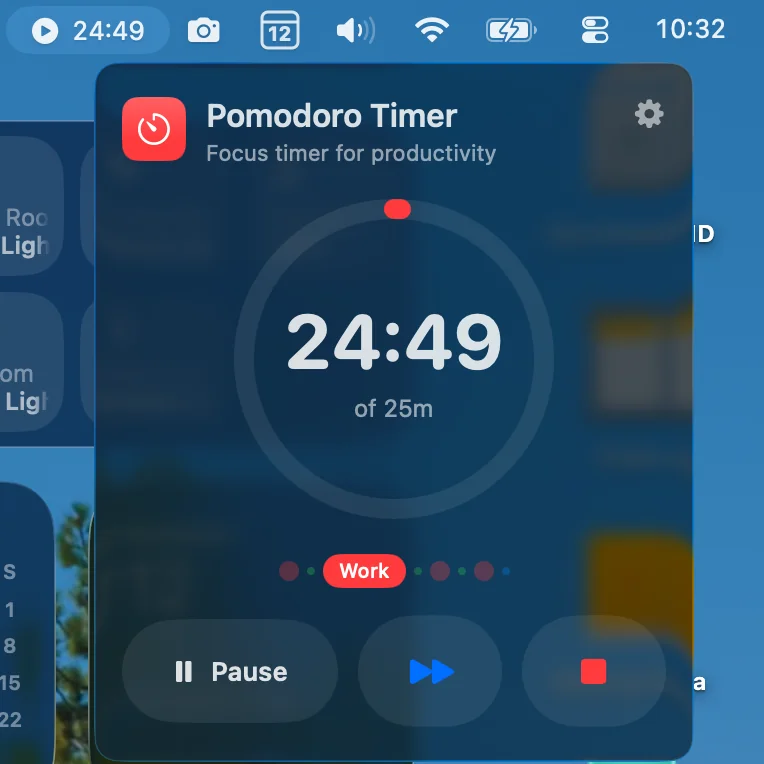
Built-in focus timer with customizable work/break cycles and live countdown in your menu bar.
Quick Mini Calendar
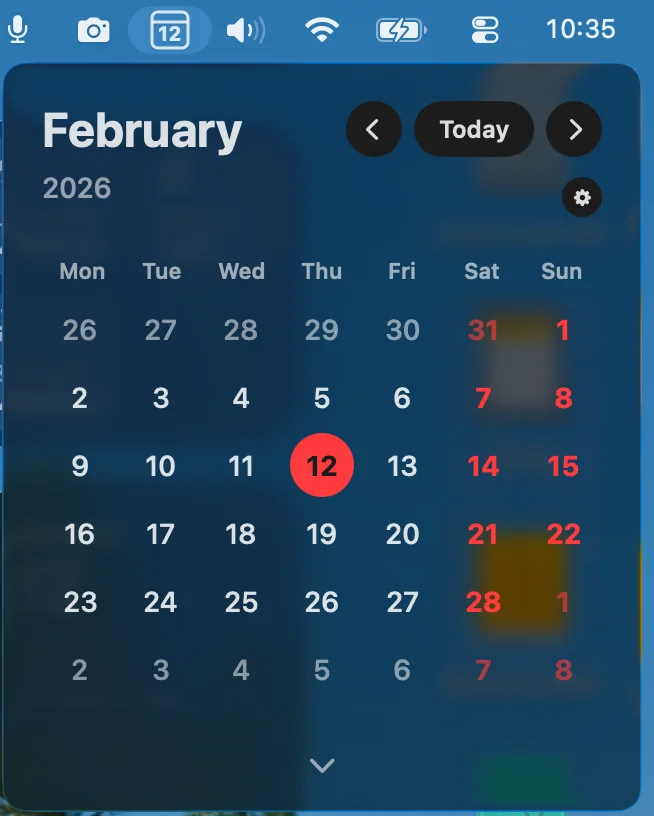
Instant access to a mini calendar widget with 1 or 2-month view, Reminders / Calendar event markers and upcoming events.
Keep Awake
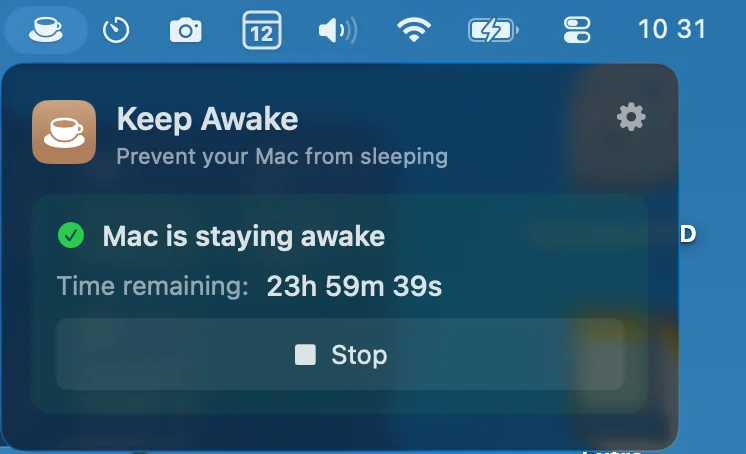
Prevent your Mac from sleeping with customizable durations. Perfect for presentations / downloads.
Camera Preview
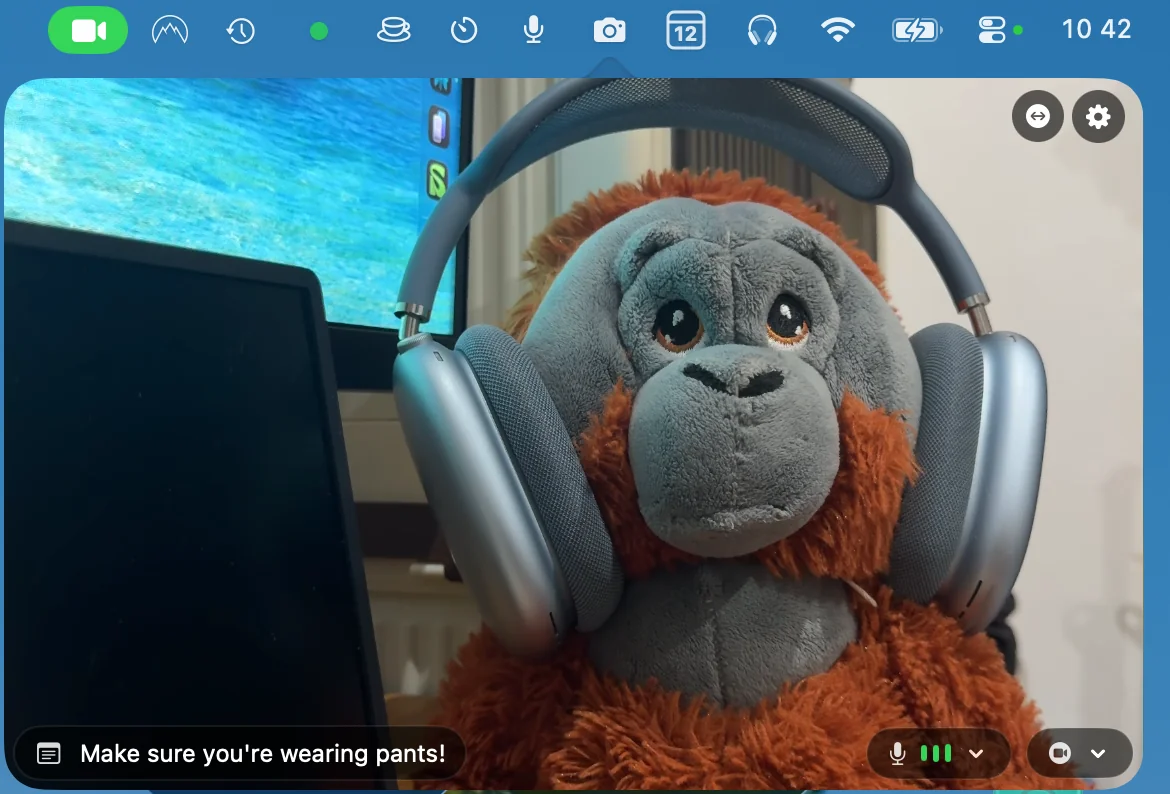
Preview your camera and test your mic directly from menu bar. Get ready for your next meeting!
Mic Mute/Unmute

Quick microphone mute/unmute controls. Never hunt for the mute button again during calls.
More Soon
Many more menu bar tools coming soon!
Frequently Asked Questions
Everything you need to know about SuperMenuBar
Changelog
What's new in SuperMenuBar
Feb 21 — Launch
- SuperMenuBar launched on the Mac App Store
Feb 25 — Calendar Update
- Calendar & Reminders event markers in the mini calendar
New Features
- Day Tracker
- Color Picker
- + Many More exciting features planned!
Perfect For Every Mac User
SuperMenuBar is ideal for remote workers, content creators, students, and professionals who want to optimize their Mac workflow without cluttering their system with multiple apps.
Students
Focus with Pomodoro timer, prevent Mac sleep during research, and quick calendar for deadlines
Mac Enthusiasts
Native macOS integration with privacy-focused tools that respect your workflow
Freelancers
Time tracking with Pomodoro, presentation tools, and client call management features
Minimalists
Replace multiple productivity apps with one clean, efficient menu bar utility
System Optimizers
Lightweight app with very low RAM usage that enhances rather than clutters your Mac
Remote Workers
Stay productive with Pomodoro cycles, Keep Awake during meetings, and quick calendar access
Developers
Keep Mac awake during builds, quick mic mute for calls, and efficient dock settings
Content Creators
Live camera preview for perfect shots, mic controls, and productivity timers for focused work
Designers
Camera preview for reference, customizable Keep Awake, and streamlined Mac settings
Power Users
Advanced Mac customization tools and productivity features all accessible from menu bar
Teams & Collaboration
Quick mic controls for video calls and productivity tools for efficient teamwork
Professionals
All-in-one productivity suite that replaces multiple apps with one lightweight solution
Students
Focus with Pomodoro timer, prevent Mac sleep during research, and quick calendar for deadlines
Developers
Keep Mac awake during builds, quick mic mute for calls, and efficient dock settings
Teams & Collaboration
Quick mic controls for video calls and productivity tools for efficient teamwork
System Optimizers
Lightweight app with very low RAM usage that enhances rather than clutters your Mac
Freelancers
Time tracking with Pomodoro, presentation tools, and client call management features
Professionals
All-in-one productivity suite that replaces multiple apps with one lightweight solution
Designers
Camera preview for reference, customizable Keep Awake, and streamlined Mac settings
Mac Enthusiasts
Native macOS integration with privacy-focused tools that respect your workflow
Minimalists
Replace multiple productivity apps with one clean, efficient menu bar utility
Power Users
Advanced Mac customization tools and productivity features all accessible from menu bar
Remote Workers
Stay productive with Pomodoro cycles, Keep Awake during meetings, and quick calendar access
Content Creators
Live camera preview for perfect shots, mic controls, and productivity timers for focused work
Students
Focus with Pomodoro timer, prevent Mac sleep during research, and quick calendar for deadlines
Content Creators
Live camera preview for perfect shots, mic controls, and productivity timers for focused work
System Optimizers
Lightweight app with very low RAM usage that enhances rather than clutters your Mac
Minimalists
Replace multiple productivity apps with one clean, efficient menu bar utility
Designers
Camera preview for reference, customizable Keep Awake, and streamlined Mac settings
Professionals
All-in-one productivity suite that replaces multiple apps with one lightweight solution
Power Users
Advanced Mac customization tools and productivity features all accessible from menu bar
Teams & Collaboration
Quick mic controls for video calls and productivity tools for efficient teamwork
Remote Workers
Stay productive with Pomodoro cycles, Keep Awake during meetings, and quick calendar access
Developers
Keep Mac awake during builds, quick mic mute for calls, and efficient dock settings
Mac Enthusiasts
Native macOS integration with privacy-focused tools that respect your workflow
Freelancers
Time tracking with Pomodoro, presentation tools, and client call management features
Students
Focus with Pomodoro timer, prevent Mac sleep during research, and quick calendar for deadlines
Content Creators
Live camera preview for perfect shots, mic controls, and productivity timers for focused work
System Optimizers
Lightweight app with very low RAM usage that enhances rather than clutters your Mac
Minimalists
Replace multiple productivity apps with one clean, efficient menu bar utility
Designers
Camera preview for reference, customizable Keep Awake, and streamlined Mac settings
Professionals
All-in-one productivity suite that replaces multiple apps with one lightweight solution
Power Users
Advanced Mac customization tools and productivity features all accessible from menu bar
Teams & Collaboration
Quick mic controls for video calls and productivity tools for efficient teamwork
Remote Workers
Stay productive with Pomodoro cycles, Keep Awake during meetings, and quick calendar access
Developers
Keep Mac awake during builds, quick mic mute for calls, and efficient dock settings
Mac Enthusiasts
Native macOS integration with privacy-focused tools that respect your workflow
Freelancers
Time tracking with Pomodoro, presentation tools, and client call management features
Whether you're working from home, creating content, studying, or managing projects, SuperMenuBar consolidates essential Mac utilities into one powerful menu bar tool that won't slow down your system.
About SuperMenuBar
The ultimate Mac menu bar utility for productivity-focused users
How SuperMenuBar Boosts Your Productivity
SuperMenuBar consolidates essential Mac productivity tools into one lightweight menu bar app. Instead of cluttering your system with multiple utilities, you get instant access to Pomodoro Timer, Keep Awake Control, Quick Calendar, Live Camera Preview, Mic Controls, and Mac Settings - all from one efficient application that respects your Mac's performance.
Comprehensive Mac Productivity Features
SuperMenuBar offers professional-level productivity tools designed specifically for Mac users who value efficiency:
- •Pomodoro Timer with customizable work/break cycles (15-90 minutes) and live menu bar countdown for focused productivity sessions
- •Keep Awake Control with flexible duration settings (5 minutes to indefinite) to prevent Mac sleep during presentations or downloads
- •Quick Calendar with 2-month view, event integration, and customizable display options for instant schedule access
- •Live Camera Preview with adjustable window size and positioning for video call preparation and content creation
- •Mic Controls featuring quick mute/unmute toggle, real-time audio level monitoring, and visual feedback for calls and recording
- •Mac Settings access including dock customization (autohide, position, animation speed) and screenshot default locations
- •System integration that respects macOS design principles with native menu bar behavior and smooth performance
- •Privacy-focused architecture - all data stored locally with no tracking, analytics, or data transmission
- •Lightweight design using minimal system resources while providing maximum functionality for everyday Mac productivity
Ready to Supercharge Your Mac?
Download SuperMenuBar today and transform your Mac into a productivity powerhouse. Replace multiple apps with one lightweight menu bar utility featuring all the essential tools you need for efficient Mac workflows.
Available on Mac App Store • Lightweight & Fast • Privacy guaranteed
Cookies
We use cookies on the SuperMenuBar site to enhance your experience. No personal data collected.